
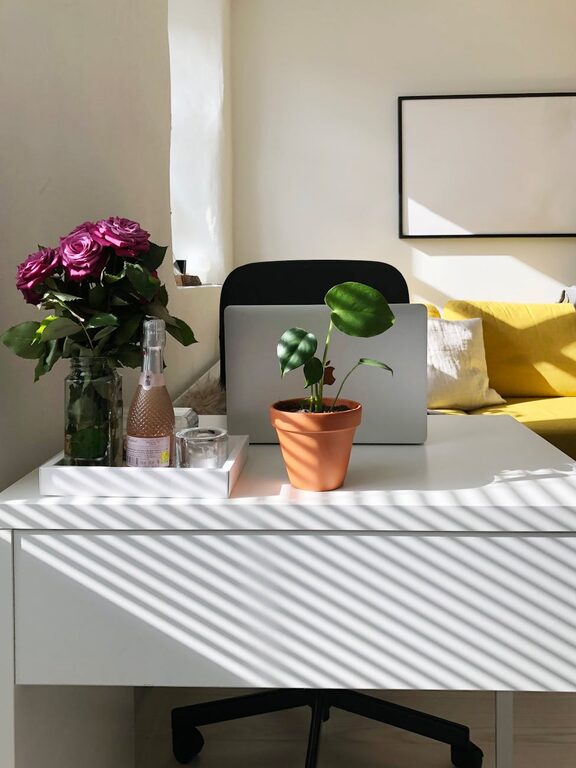
Creating a comfortable and productive home office space is essential in today’s world, where many people work remotely or spend significant time at home. A well-planned workspace can help reduce stress, increase focus, and improve overall job satisfaction. Whether you’re setting up a new home office or upgrading an existing one, these tips will guide you towards crafting the perfect environment for productivity and comfort.
Assess Your Space
Before you start buying furniture or decorating, take a good look at the space you have available. Consider a quiet corner, a spare room, or part of your living area. The ideal spot should:
– Have enough room for your desk, chair, and any other equipment you need
– Be relatively free from distractions and noise
– Benefit from good natural light, if possible
If space is limited, don’t worry. Small areas can be transformed into efficient workstations with clever organisation and planning.
Choose the Right Desk and Chair
Comfort is key when choosing office furniture. Spending long hours at a desk requires ergonomic support to avoid discomfort or injury.
Desk
Look for a desk that suits your work style and equipment. Features to consider:
– Sufficient surface area for your computer, paperwork, and accessories
– Storage options such as drawers or shelves to keep essentials close but tidy
– Adjustable height desks can provide the option to stand and work, which is great for your posture and circulation
Chair
Invest in a good-quality office chair with features like:
– Adjustable height and backrest
– Lumbar support to protect your lower back
– Comfortable cushioning and breathable fabric
Trying out chairs in person can help you find the best fit. Your body will thank you in the long run!
Optimise Lighting
Lighting plays a huge role in maintaining energy and reducing eye strain.
– Natural light is ideal. Position your desk near a window to benefit from daylight, but be mindful of glare on screens.
– Use task lighting, such as a desk lamp, to provide focused brightness for reading and detailed work.
– Choose bulbs with a colour temperature between 4000K and 5000K for a bright, neutral white light that helps keep you alert without causing fatigue.
Avoid overly harsh or dim lighting to keep your workspace inviting and comfortable.
Keep It Organised
A cluttered desk can lead to a cluttered mind. Maintaining a tidy workspace helps boost productivity and reduces stress.
Storage Solutions
– Use drawers, shelves, or filing cabinets to store documents and supplies.
– Desk organisers or trays keep small items like pens and paper clips within reach but off the desk surface.
– Consider cable management tools to keep wires neat and prevent tangling.
Declutter Regularly
Set aside a few minutes at the end of each day or week to clear your workspace. Dispose of unnecessary items, sort papers, and wipe surfaces clean.
Personalise Your Space
Adding personal touches can make your home office feel welcoming and inspire creativity.
– Display photos, artwork, or plants to create a pleasant atmosphere.
– Choose colours and décor that promote calm and focus. Soft blues, greens, and neutrals often work well.
– Use a comfortable rug or cushion for warmth and texture.
Be careful not to overdo it — too many decorations can become distracting.
Manage Noise and Distractions
Minimising interruptions is crucial in a home working environment.
– Use noise-cancelling headphones if you have family members or housemates nearby.
– Create visual boundaries like a room divider if your office is in a shared space.
– Inform others of your working hours so they can respect your focus time.
– Consider white noise machines or background music to mask distracting sounds.
Prioritise Health and Wellbeing
Your home office should support your physical and mental health.
– Take regular breaks to stretch and move around.
– Keep water nearby to stay hydrated.
– Maintain good posture and adjust your setup if you experience discomfort.
– Include plants or fresh air to improve air quality and mood.
Utilise Technology Wisely
Technology can facilitate productivity when used effectively.
– Invest in a reliable internet connection and necessary peripherals like a headset or printer.
– Use productivity apps to organise tasks, manage time, and communicate with colleagues.
– Keep software updated for security and efficiency.
Set Boundaries and Routines
Finally, establishing clear work routines helps separate your professional and personal life.
– Start and finish work at regular times.
– Dress for work to signal the start of the day.
– Set goals and priorities to maintain focus.
– Close your home office door or pack away work materials after hours if possible.
—
Creating a comfortable and productive home office is about balancing function with personal comfort. By carefully considering your space, furniture, lighting, and organisation, you can build an environment that supports your best work. Remember to listen to your body, make the space your own, and set boundaries to enjoy a healthier and more satisfying remote working experience.